Modules and applications
__NOTOC__
| < Storage and data transfer | Home | Job management > |
|
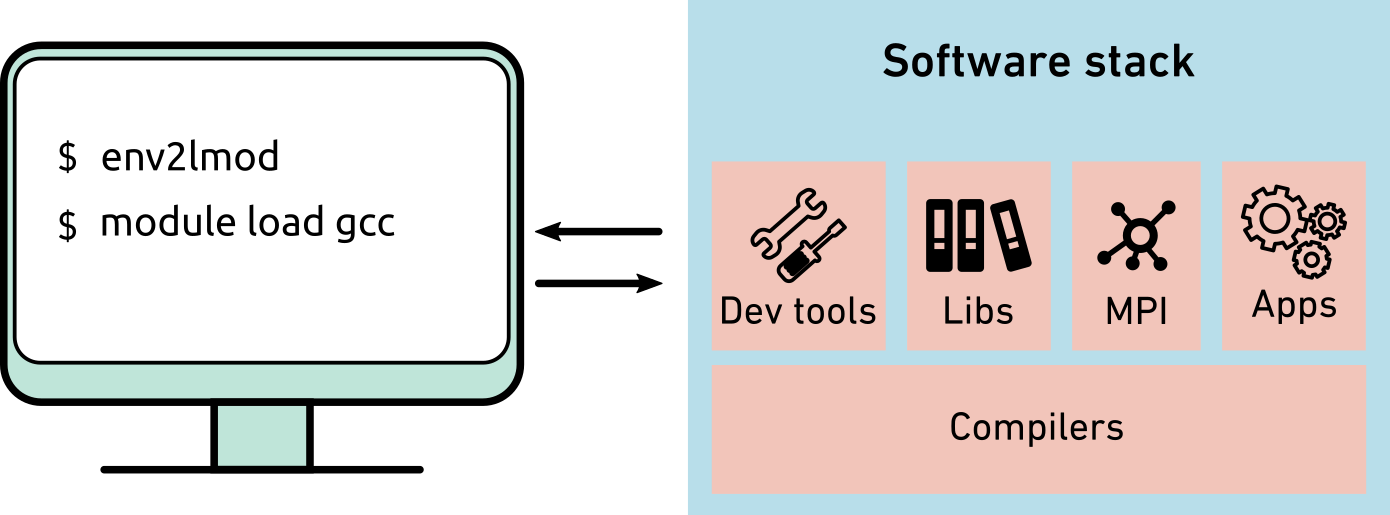
On the cluster, we provide many centrally installed software and for some software even multiple versions. To configure the environment for a particular software version, we use modules. Modules configure your current computing environment (PATH, LD_LIBRARY_PATH, MANPATH, etc.) to make sure all required binaries and libraries are found. We employ the following Modules packages on the cluster: - LMOD Modules |
Modules commands
Here are the most frequently used module commands.
List all modules that match the given module name, e.g., list all available Python
$ module spider python
You can also use avail to see the one available with the current module loaded:
$ module avail python
List all currently loaded modules
$ module list
Currently Loaded Modules:
1) gcc/12.2.0 2) stack/2024-06
Other commonly used module commands
module # get info about module sub-commands
module avail # List all modules available on the cluster
module keykeyword# list all modules whose description containskeyword
module helpname# get information about modulename
module showname# show what modulenamedoes (without loading it)
module unloadname# unload modulename
module purge # unload all modules at once
You can also search through the full stack for a package with
module spider # report all modules
module spidername# report all versions of the modulename
module --show_hidden spidername# Show also the hidden modules
Please note that you first need to load a stack. The stack determines the GCC version of the packages that can be loaded.
- stack/2024-04 -> GCC 8.5.0
- stack/2024-06 -> GCC 12.2.0
The 2024-06 also contains packages for Intel OneAPI 2023.2.0
module load stack/2024-06 intel-oneapi-compilers/2023.2.0
All available modules are listed on our wiki.
Where are applications installed?
<table style="width: 100%;>
$ pip3 install --user packagename
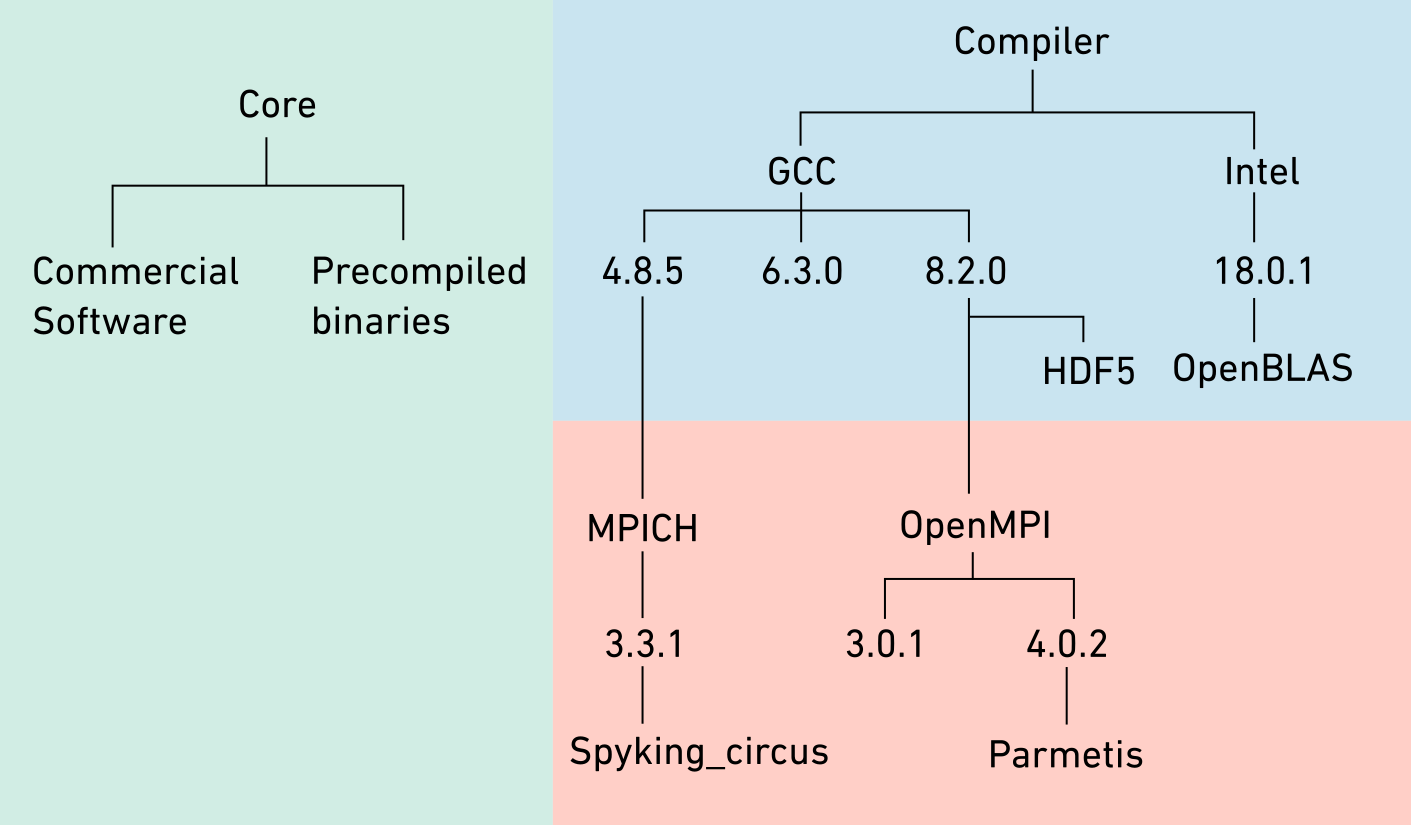
The structure of LMOD Modules
<table style="width: 100%; >
$ module load comsol/5.6
- The stack layer contains software which are dependent of compilers.
$ module load stack/2024-06 hdf5/1.14.3
- The MPI layer contains software which are dependent of compilers and
MPI libraries
$ module load stack/2024-06 openmpi/4.1.6 openblas/0.3.24
Modules for GPUs
We have installed a Python module which is linked with CUDA and NCCL libraries and contains machine learning / deep learning packages such as scikit-Learn, TensorFlow and Pytorch. This module can be loaded with the following commands:
$ module load stack/2024-06 python_cuda/3.11.6
You can also find and load CUDA, cuDNN and NCCL libraries available on the cluster matching your needs.
$ module load stack/2024-06
$ module avail cuda
-------- /cluster/software/stacks/2024-06/spack/share/spack/lmod/linux-ubuntu22.04-x86_64/gcc/12.2.0 ------
cuda/11.8.0 cuda/12.1.1 (D)
Application lists
Ubuntu:
CentOS (deprecated):
Example
Further reading
- User guide: Setting up your environment
- Setting up a software stack for a research group
- Creating a local module directory
- Unpacking RPM packages in users space
| < Storage and data transfer | Home | Job management > |